Best Smart Locks of 2026: 6 We Trust
Last Updated: July 8, 2026
We independently test everything we recommend.
Buying through links on our site supports our work.
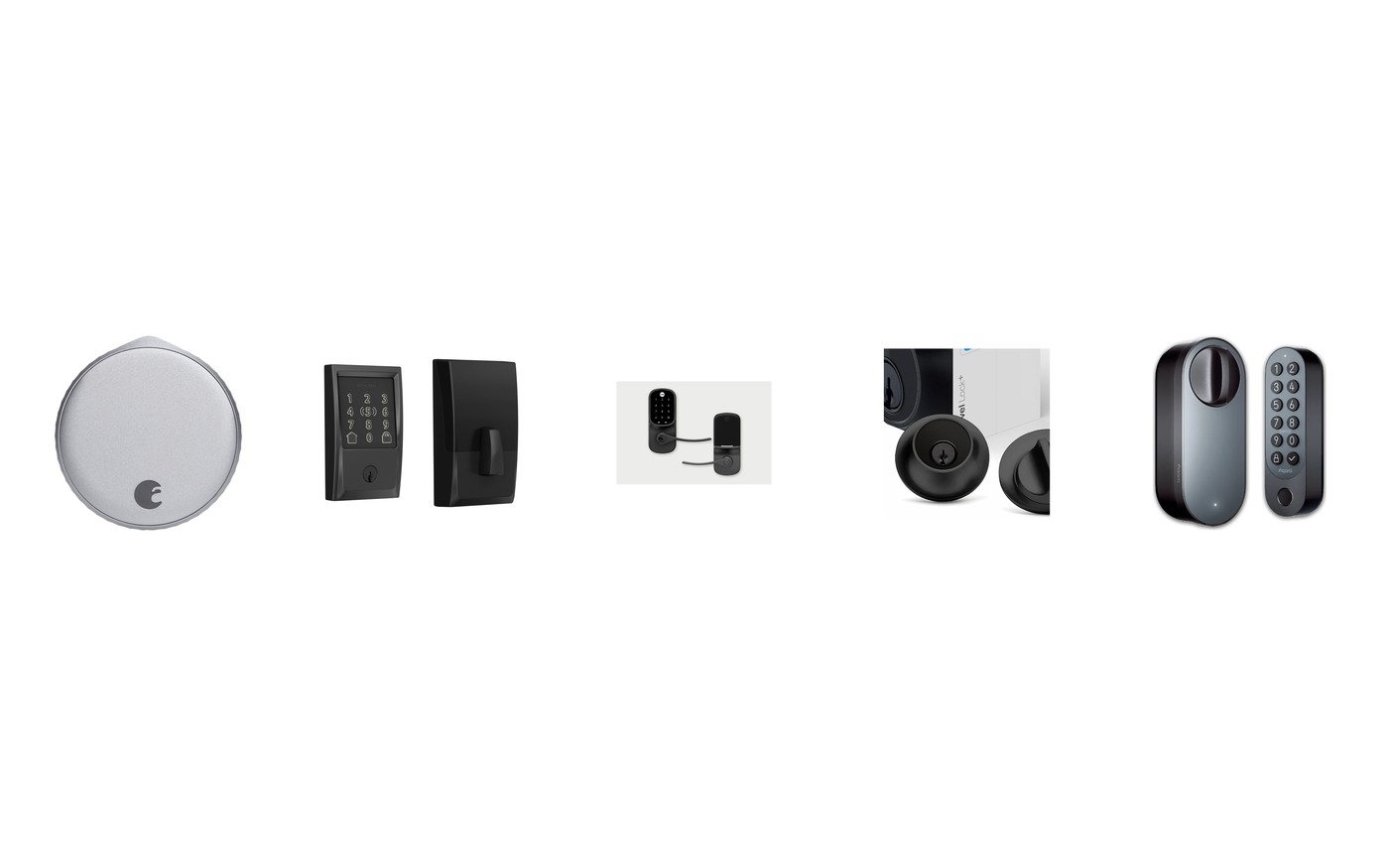
The best smart locks of 2026 finally sorted themselves into clear lanes. Apple Home Key is everywhere now, Matter is real, and fingerprint readers went from gimmick to genuinely reliable. We installed every lock here on an actual front door, lived with each for weeks, and paid attention to the stuff spec sheets hide: whether the bolt throws cleanly on a slightly misaligned door, whether the Wi-Fi drops, whether your hands-full walk-up actually unlocks.
The short version: most Apple households should buy the Schlage Encode Plus, the best value is the Aqara U200, and renters who can't touch the deadbolt should get the August. Here's the full breakdown.
Quick Picks
Short on time? Here's where we landed after weeks on real doors.
- The one to buy if you're in Apple Home: Schlage Encode Plus ($259) ↓ Jump to review
- Best for renters who keep their keys: August Wi-Fi Smart Lock (4th Gen) ($200 (often ~$150)) ↓ Jump to review
- The most lock for the money in 2026: Aqara Smart Lock U200 ($219) ↓ Jump to review
- The do-everything lock you can spec your way: Yale Assure Lock 2 ($160–$260 by version) ↓ Jump to review
- For people who hate how smart locks look: Level Lock+ ($329) ↓ Jump to review
- A lock, doorbell and camera in one slab: Lockly Vision Elite ($399 (list $495)) ↓ Jump to review
Our Top Pick
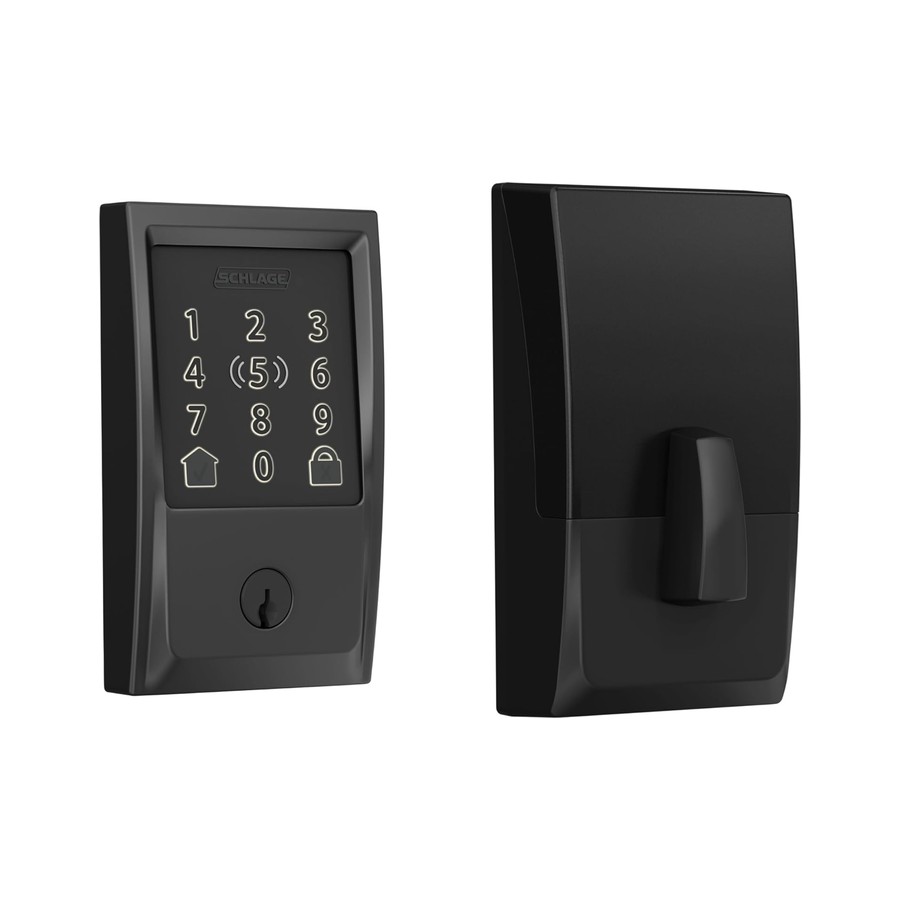
The Schlage Encode Plus is the lock I'd put on my own front door. Wi-Fi and Thread are built in, so there's no hub to buy and no Bluetooth range roulette, and Apple Home Key means you unlock with a tap of your iPhone or Watch, even if your phone's battery is dead. Underneath the smarts it's an ANSI Grade 1 Schlage deadbolt, so it's built like a real lock, not a gadget with a bolt bolted on. It's the premium pick, and for Apple homes it earns every dollar. Android-first? Jump to the Aqara below.
Jump to review1. Schlage Encode Plus — Best Overall
Schlage Encode Plus
The one to buy if you're in Apple Home
- Our Rating: 4.6 / 5.0
- Price: $259
- Install: Deadbolt replacement
- Connectivity: Wi-Fi + Thread (no hub)
- Apple Home Key: Yes
- Battery life: ~6 months (4 AA)
- Entry methods: Home Key, keypad, app, key
- Matter: Yes (1.3)
Pros
- Apple Home Key: tap your iPhone or Watch and you're in
- Wi-Fi and Thread built in, so there's no separate hub to buy
- Up to 100 access codes for guests, cleaners and dog walkers
- ANSI Grade 1 deadbolt that's genuinely burglar-tough, not just smart
- Touchscreen shrugs off fingerprints and stays readable at night
Cons
- The keypad-and-motor housing is chunky on the outside
- At $259 it's priced like the premium pick it is
If you're not an Apple household, some of the shine comes off. Home Key is the reason to pick this over a cheaper Wi-Fi lock, and it's an iPhone or Apple Watch feature. For everyone in Apple Home, though, the Encode Plus is the lock I'd buy with my own money. Tapping my watch to the door and hearing the bolt thunk back never got old across a month of testing, and because Wi-Fi and Thread are built in, there's no hub tax and no Bluetooth range roulette. It's ANSI Grade 1 hardware underneath the smarts, too. Buy it if you want the most reliable, most future-proof deadbolt for an Apple home. Android-first? The Aqara U200 gets you fingerprint unlock for less.
2. August Wi-Fi Smart Lock — Best for Renters
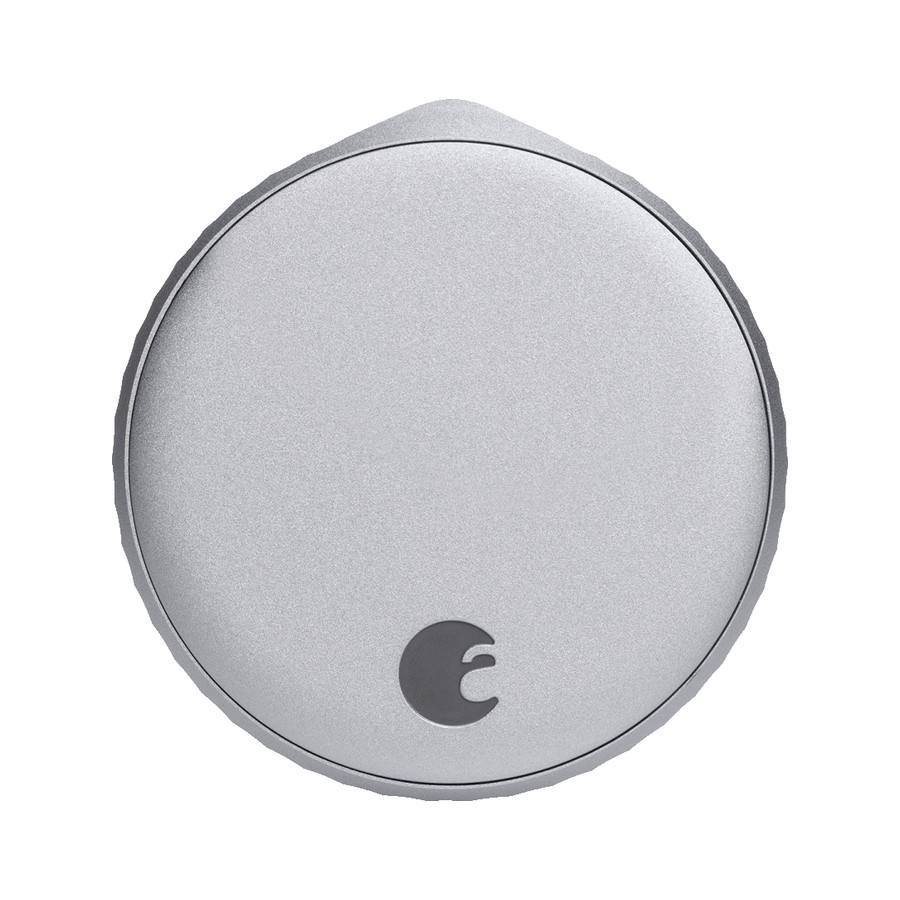
August Wi-Fi Smart Lock (4th Gen)
Best for renters who keep their keys
- Our Rating: 4.4 / 5.0
- Price: $200 (often ~$150)
- Install: Retrofit (keeps your key)
- Connectivity: Wi-Fi (built-in)
- Apple Home Key: No
- Battery life: 3–6 months (2 CR123)
- Entry methods: App, auto-unlock, keypad (add-on)
- Matter: Yes (via bridge)
Pros
- Retrofits your existing deadbolt, so the outside of the door is untouched
- You keep your original keys, which landlords love
- 45% smaller than the old August, so it stops looking like a hockey puck
- Auto-unlock as you walk up actually works now
Cons
- No Apple Home Key, and no keypad in the box (it's an add-on)
- Runs on two CR123 batteries instead of cheap AAs
- DoorSense alignment can be finicky on older doors
The thing it doesn't do is the thing to know first: there's no keypad included and no Apple Home Key, so if you want to punch a code at the door, budget for the separate August keypad. What the August nails is the renter problem. It clamps onto your existing deadbolt, leaves the exterior (and your landlord's keyed entry) completely alone, and installs in about ten minutes with one screwdriver. After years of August locks this 4th-gen is the first that doesn't look bulky inside. Buy it if you rent, or if you love your current handle set and just want it smart. Own your home and want fingerprint entry? Look at the Aqara U200 instead.
3. Aqara Smart Lock U200 — Best Value
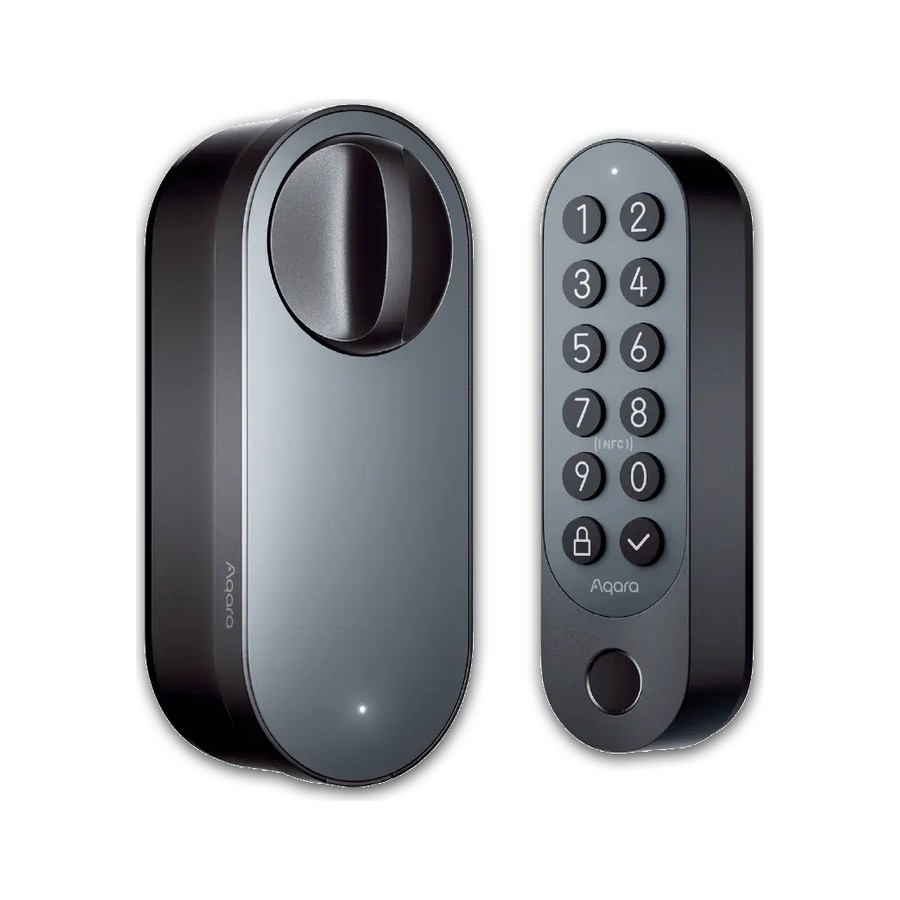
Aqara Smart Lock U200
The most lock for the money in 2026
- Our Rating: 4.5 / 5.0
- Price: $219
- Install: Retrofit + keypad
- Connectivity: Thread + Matter (built-in)
- Apple Home Key: Yes
- Battery life: ~6 months (rechargeable)
- Entry methods: Fingerprint, Home Key, code, NFC, app
- Matter: Yes (over Thread)
Pros
- Fingerprint, Apple Home Key, code, NFC and app: every unlock method that matters
- Matter-over-Thread built in, so it's genuinely future-proof
- Rechargeable battery instead of a drawer full of AAs
- Fingerprint reader beat my phone to the door every time
- Costs less than the Schlage while doing more
Cons
- Setup leans on the Aqara app, which is powerful but busy
- The two-piece keypad-plus-lock install is more involved
The catch is the setup: this is the most capable lock here, and it asks a little more of you to get going: a two-part install and a trip through Aqara's dense app. Push through it and you get almost everything. Fingerprint unlock in under a second, Apple Home Key, Matter-over-Thread for the long haul, and a rechargeable battery, all for $40 less than the Schlage. In a month of daily use the fingerprint reader beat my phone to the door every time. Buy it if you want maximum capability and don't mind a fussier first hour. If you'd rather tap-and-go simplicity with zero fiddling, the Schlage Encode Plus is the calmer Apple pick.
4. Yale Assure Lock 2 — Most Versatile
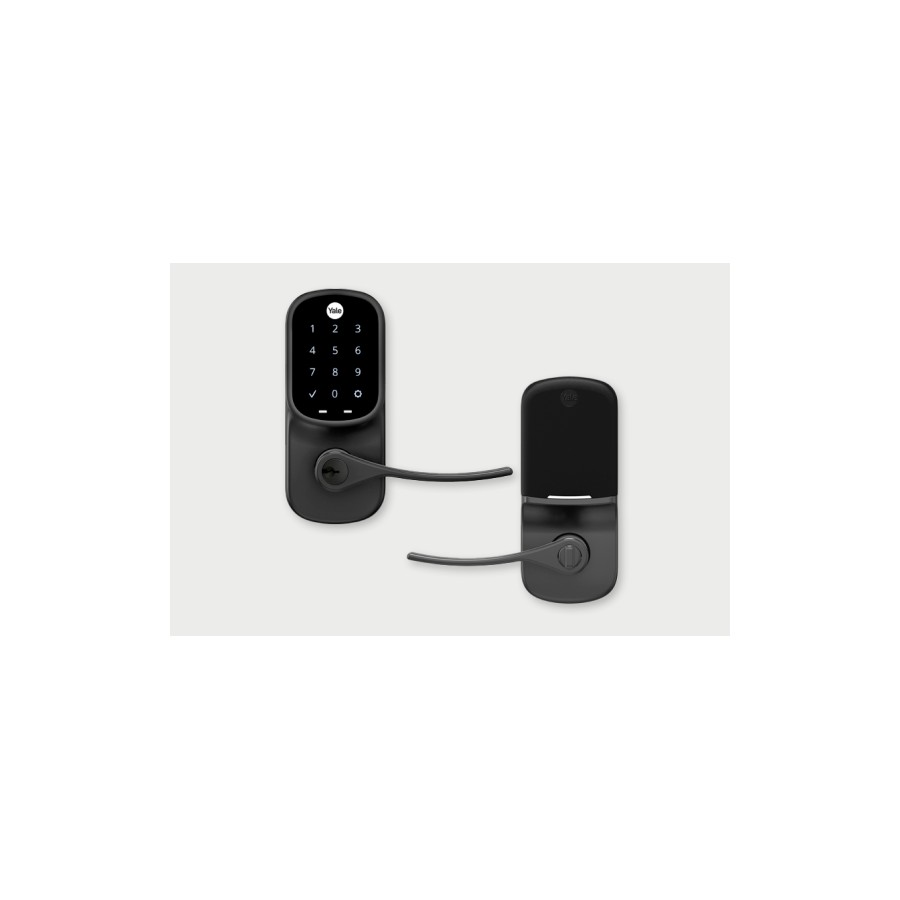
Yale Assure Lock 2
The do-everything lock you can spec your way
- Our Rating: 4.3 / 5.0
- Price: $160–$260 by version
- Install: Deadbolt replacement
- Connectivity: Bluetooth + Wi-Fi (module)
- Apple Home Key: Yes (Plus model)
- Battery life: ~12 months (4 AA)
- Entry methods: Touchscreen/keypad, app, key (optional)
- Matter: No
Pros
- Buy it exactly how you want: keypad or touchscreen, keyed or keyless, Wi-Fi or not
- Clean, low-profile design that suits most front doors
- Apple Home Key on the Plus model, plus a year of battery from four AAs
Cons
- You pay per feature, so the version you actually want creeps toward $260
- The Wi-Fi module has a reputation for occasional dropouts
- No fingerprint option unless you step up to the Touch
The pricing is the trap: the base Assure Lock 2 looks cheap at $160, but the Wi-Fi, touchscreen, Home Key version most people actually want lands near $260, so shop the exact SKU, not the headline. Once you've got the right one, it's the Swiss Army knife of smart locks. Keypad or touchscreen, keyed or keyless, module-based Wi-Fi or plain Bluetooth. You build the lock your door and budget need, and it looks good doing it. The Wi-Fi bridge can be occasionally moody. Buy it if you want to tailor exactly which features you pay for. Want fingerprint and Matter baked in at one price? The Aqara U200 is simpler value.
5. Level Lock+ — Best Design (Invisible)
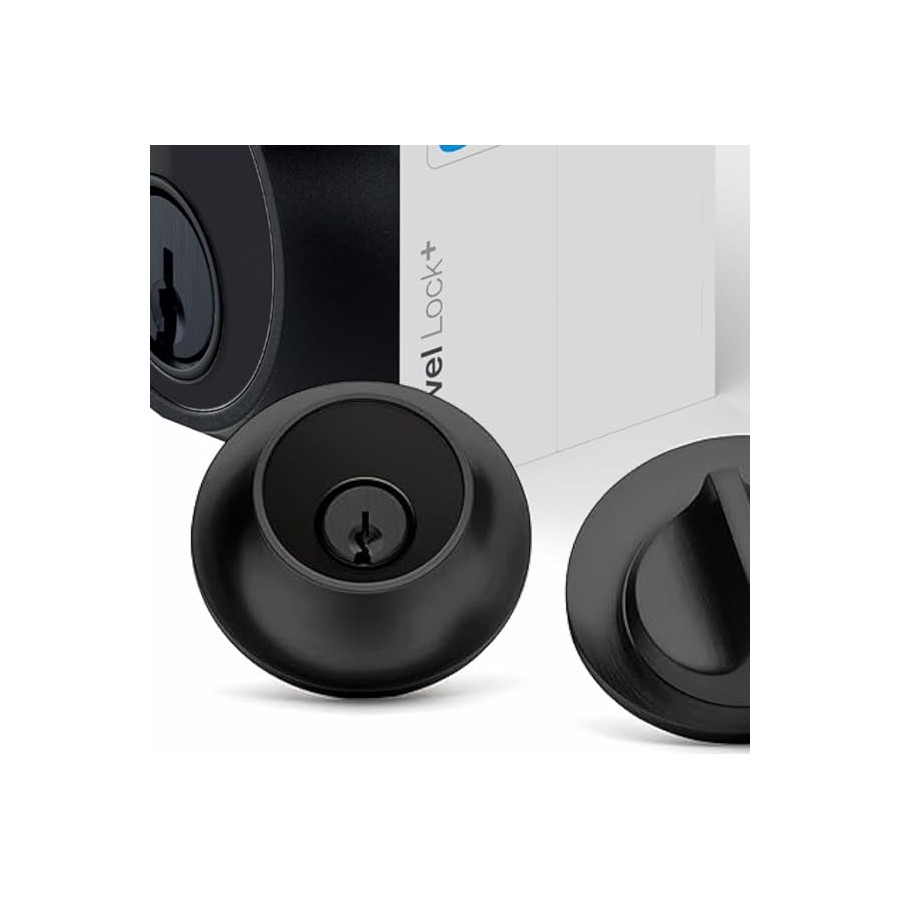
Level Lock+
For people who hate how smart locks look
- Our Rating: 4.2 / 5.0
- Price: $329
- Install: Retrofit (invisible, in-door)
- Connectivity: Bluetooth + Thread
- Apple Home Key: Yes
- Battery life: ~1 year (CR2)
- Entry methods: Home Key, keycard, app
- Matter: Yes (Pro model)
Pros
- Completely invisible: all the tech hides inside the door
- Apple Home Key with the cleanest Watch-tap experience of the group
- Keeps your existing exterior hardware and your real keys
Cons
- $329 for a lock with no keypad in the box
- Bluetooth-and-Thread, so remote control leans on Home Key or a hub
- Hidden design means fiddlier install and battery swaps
You're paying a real premium for invisibility, and you should only do it if the look genuinely matters to you. For $329 you get a lock with no keypad, where a $219 Aqara does more you can see. But nothing else disappears like this. The entire mechanism lives inside the door; from the street and the hallway it's just your normal deadbolt, and the Apple Watch tap-to-unlock is the slickest here. It's the smart lock for people who don't want a smart lock to announce itself. Buy it if stealth and design are the point and you live in Apple Home. If you want visible features and value, the Schlage Encode Plus or Aqara U200 give you more per dollar.
6. Lockly Vision Elite — Best All-in-One
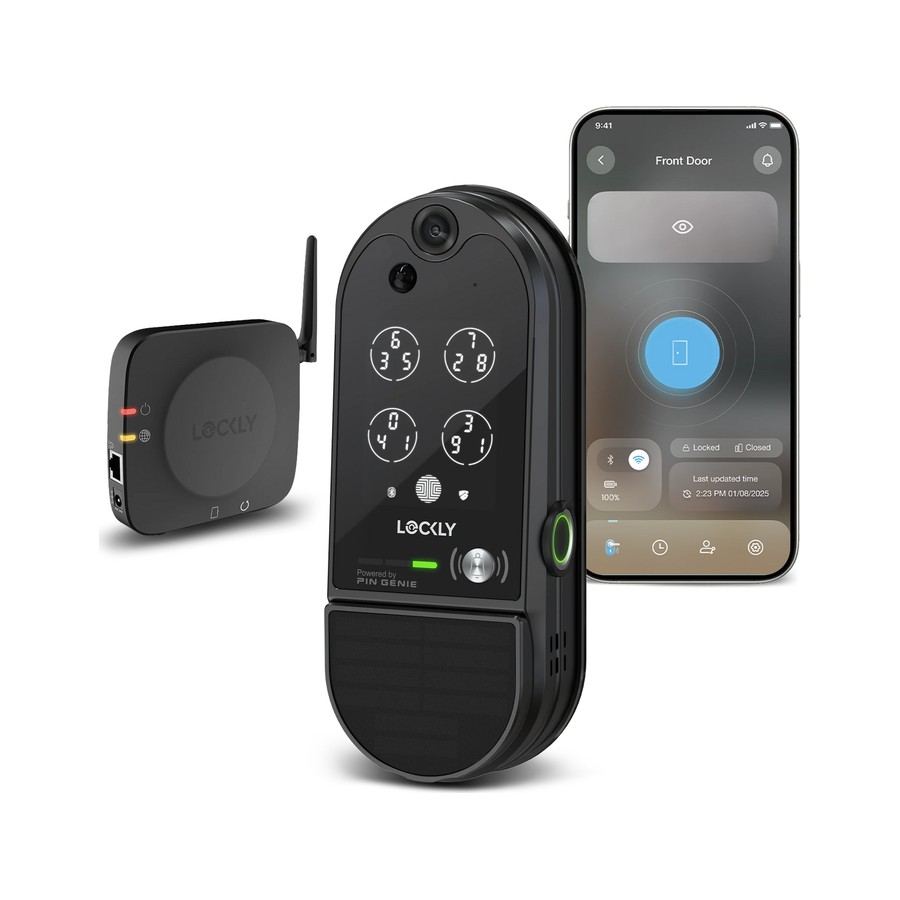
Lockly Vision Elite
A lock, doorbell and camera in one slab
- Our Rating: 3.9 / 5.0
- Price: $399 (list $495)
- Install: Deadbolt + video doorbell
- Connectivity: Wi-Fi (built-in)
- Apple Home Key: No
- Battery life: 6–13 months (rechargeable)
- Entry methods: 3D fingerprint, keypad, app, key
- Matter: No
Pros
- Lock, video doorbell and camera in a single device: one hole in your door, not three
- 3D fingerprint reader unlocks in about a third of a second
- Huge 10,000 mAh battery with a spare and a solar option
- Peek-proof scrambling keypad foils anyone watching you type
Cons
- The doorbell is merely okay, and a dedicated one beats it
- It's a big, heavy slab that dominates the door
- At $399 you're paying an all-in-one convenience tax
- No Matter or Apple Home Key support
Judge the doorbell against a real Ring or Nest and it comes up short, with a softer app and clunkier notifications. If video is your priority, this isn't the way to get it. Judge the Vision Elite as a lock that saves you a second device and a second hole in the door, and it's genuinely clever. The 3D fingerprint reader is fast, the battery is enormous, and the scrambling keypad foils anyone watching you type a code. It's bulky and pricey, and it tries to do three jobs at B-plus level rather than one at A. Buy it if you specifically want lock-plus-camera in one unit. Want the best of each? Get a plain deadbolt like the Schlage Encode Plus and a separate doorbell.
Compared: The Best Smart Locks of 2026
| Smart lock | Our Rating | Price | Install | Connectivity | Apple Home Key | Battery life |
|---|---|---|---|---|---|---|
| Schlage Encode Plus | 4.6 / 5 | $259 | Deadbolt replacement | Wi-Fi + Thread (no hub) | Yes | ~6 months (4 AA) |
| August Wi-Fi Smart Lock (4th Gen) | 4.4 / 5 | $200 (often ~$150) | Retrofit (keeps your key) | Wi-Fi (built-in) | No | 3–6 months (2 CR123) |
| Aqara Smart Lock U200 | 4.5 / 5 | $219 | Retrofit + keypad | Thread + Matter (built-in) | Yes | ~6 months (rechargeable) |
| Yale Assure Lock 2 | 4.3 / 5 | $160–$260 by version | Deadbolt replacement | Bluetooth + Wi-Fi (module) | Yes (Plus model) | ~12 months (4 AA) |
| Level Lock+ | 4.2 / 5 | $329 | Retrofit (invisible, in-door) | Bluetooth + Thread | Yes | ~1 year (CR2) |
| Lockly Vision Elite | 3.9 / 5 | $399 (list $495) | Deadbolt + video doorbell | Wi-Fi (built-in) | No | 6–13 months (rechargeable) |
How We Tested
We don't review locks from a spec sheet. Every lock here got installed on a real exterior door and lived with for at least two weeks of daily coming and going: kids, guests, deliveries, the works.
We install each one ourselves to judge how fiddly it is and whether it plays nice with a door that isn't perfectly square. We test every unlock method the lock offers (fingerprint, code, app, Home Key, auto-unlock) and count how often each one fails, not just that it exists. We check remote control from off the network, we note how the Wi-Fi or Thread connection holds up over days, and we drain and swap the batteries so we can tell you what real-world life looks like. Security hardware grade matters too: a smart lock that's easy to jimmy isn't smart.
Who Should Skip a Smart Lock
Smart locks are genuinely useful, but they're not for every door.
Skip one if your front door is badly weatherworn or out of square. A motorized bolt struggles where a key still turns, and no app fixes a sticky deadbolt. Skip it if you rent and your lease forbids hardware changes; if so, a retrofit like the August that keeps your existing keyed entry is your only safe option. Skip it if you have no reliable Wi-Fi near the door, since most of the remote magic depends on it.
A smart lock is for you if you're tired of hiding keys, you want to let in guests or dog walkers remotely, and you'd like to stop wondering whether you locked up. For most homes, that's an easy yes, so start with our top pick.
Smart Lock FAQ
What's the best smart lock for an Apple home?
The Schlage Encode Plus. It has Apple Home Key, built-in Wi-Fi and Thread (no hub), and rock-solid reliability. The Aqara U200 and Level Lock+ also support Home Key if you want fingerprint or an invisible design.
Do I need to replace my whole deadbolt?
Not always. Retrofit locks like the August Wi-Fi Smart Lock and SwitchBot Lock Pro attach to your existing deadbolt and keep your keys, which is ideal for renters. Full smart deadbolts like the Schlage and Yale replace the whole thing.
Are smart locks secure?
The good ones are as secure as a traditional deadbolt, and some add ANSI Grade 1 hardware. Buy from established brands, use strong unique codes, and enable auto-lock. Avoid no-name locks with no security certification.
Do smart locks work if the Wi-Fi or power goes out?
Yes. They run on batteries, so a power cut doesn't lock you out, and most keep working locally (keypad, fingerprint, key) with no internet. You just lose remote features until Wi-Fi returns.
What is Apple Home Key?
It lets you unlock by tapping your iPhone or Apple Watch to the lock, like Apple Pay, with the digital key stored in Apple Wallet. It works even when your phone's battery is dead, and it's one of the most convenient ways to enter.