Best Budget Smart Locks of 2026
Last Updated: July 8, 2026
We independently test everything we recommend.
Buying through links on our site supports our work.
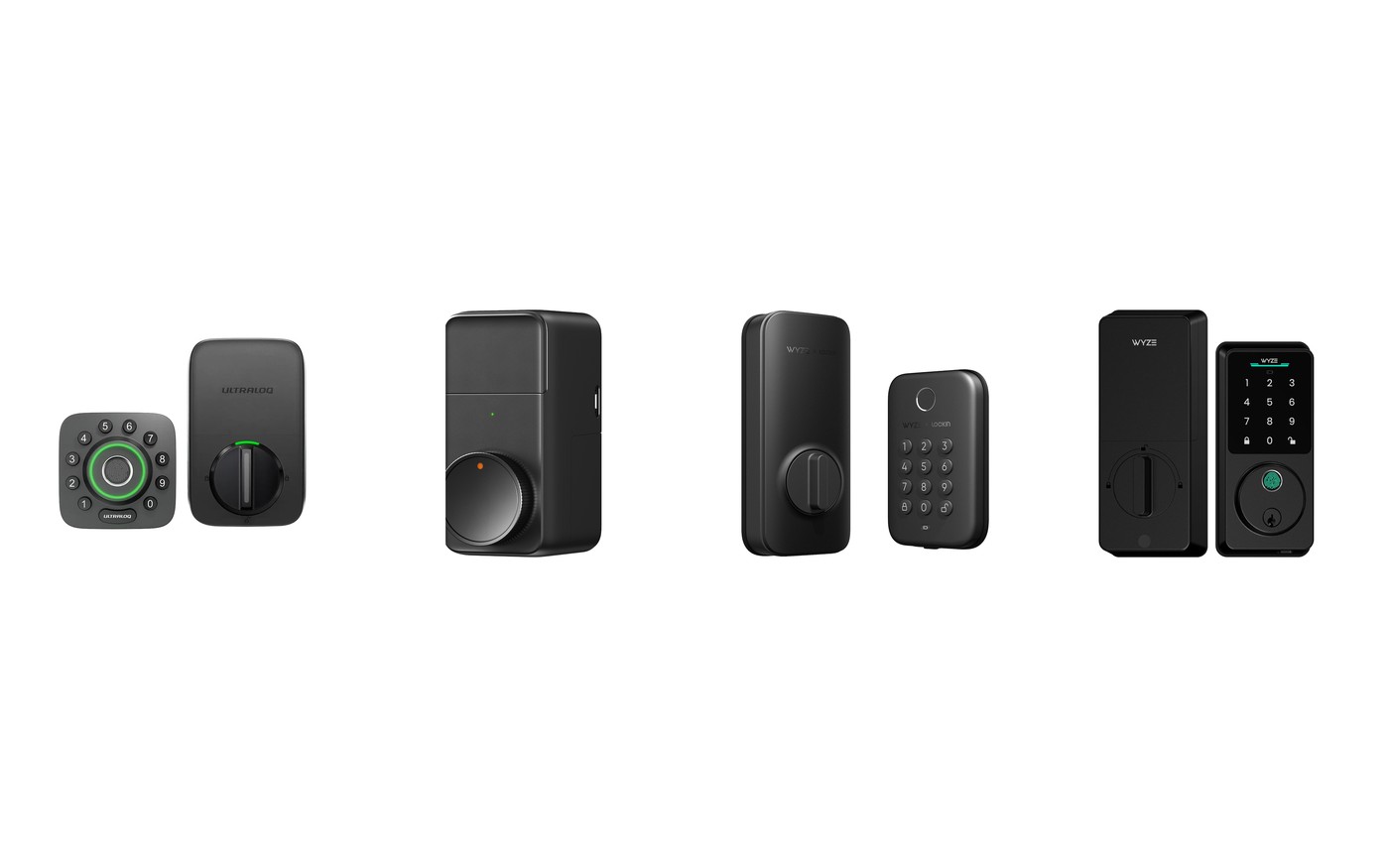
The best budget smart locks of 2026 prove keyless entry isn't a luxury anymore. A few years ago "cheap smart lock" meant flaky fingerprint readers and locks that fell offline for fun. Not now. There's a $160 lock that does almost everything the flagships do, a good-looking Matter lock under $200, a $100 retrofit that keeps your keys, and an $80 fingerprint deadbolt that just works.
We tested them on real doors, the same way we test the expensive ones. The headline: the Ultraloq U-Bolt Pro is the budget lock to buy for most people, and only one lock here asks you to give up something you'll actually miss.
Quick Picks
No time? These are the budget locks worth your money, ranked.
- Best budget lock, and it does it all: Ultraloq U-Bolt Pro ($159–$200) ↓ Jump to review
- Budget Matter lock with a handsome face: eufy Smart Lock E30 ($180) ↓ Jump to review
- The cheapest way to keep your keys and go smart: SwitchBot Lock Pro ($100 (lock only)) ↓ Jump to review
- The $80 fingerprint lock that skips the Wi-Fi: Wyze Lock Bolt ($79.99) ↓ Jump to review
Our Top Pick
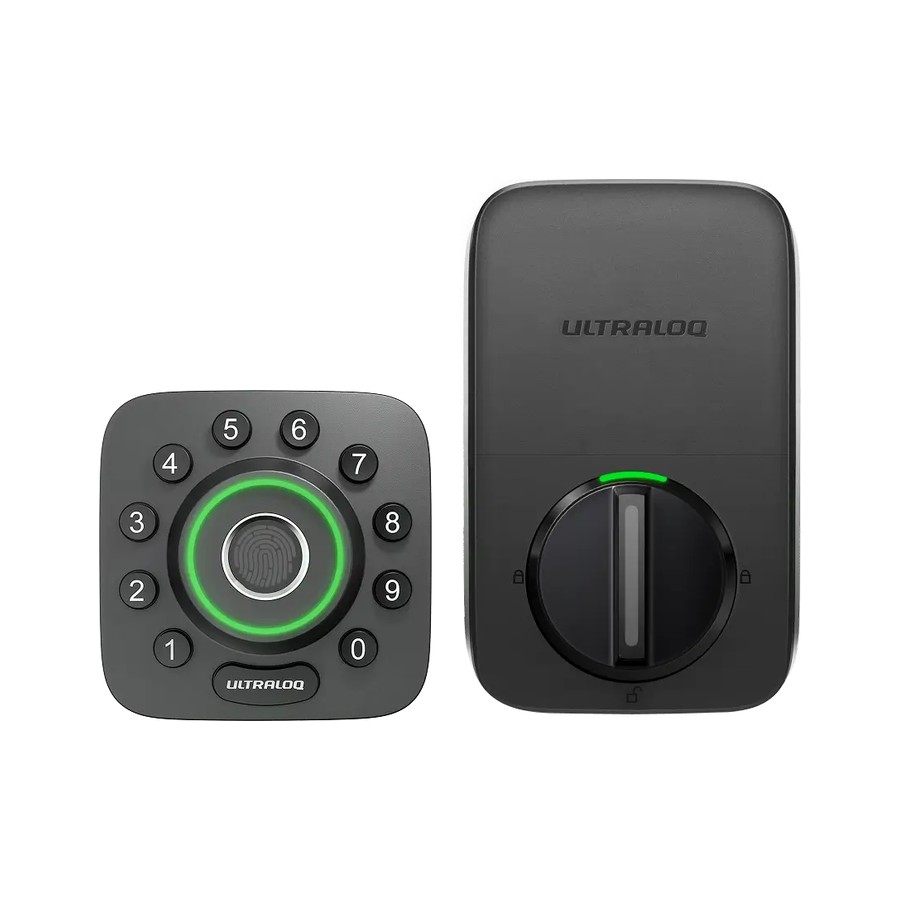
The Ultraloq U-Bolt Pro is the budget lock I recommend to almost everyone. Around $160 buys a fingerprint deadbolt with six ways in (fingerprint, code, app, key, auto-unlock and knock), up to a year of battery, and a fingerprint reader that in testing read my thumb correctly every single time. The one catch: Wi-Fi and remote control need the separate Bridge add-on. Accept that and nothing else this cheap does nearly as much.
Jump to review1. Ultraloq U-Bolt Pro — Best Budget Overall
Ultraloq U-Bolt Pro
Best budget lock, and it does it all
- Our Rating: 4.2 / 5.0
- Price: $159–$200
- Install: Deadbolt replacement
- Connectivity: Bluetooth (Wi-Fi via Bridge)
- Apple Home Key: No
- Battery life: Up to 1 year (BT)
- Entry methods: Fingerprint, code, app, key, auto
- Matter: No
Pros
- Six ways in: fingerprint, code, app, key, auto-unlock and knock
- Fingerprint reader that actually fired first time in testing
- Up to a year of battery on Bluetooth
- Costs half what the flagships do
Cons
- Wi-Fi and remote control need the separate Bridge add-on
- The round keypad-plus-deadbolt looks a bit busy on the door
The asterisk is connectivity: out of the box it's Bluetooth, so if you want to check or unlock the door from the office you'll need to buy the U-Bolt Pro Bridge. Accept that and it's the budget champ. For around $160 you get a fingerprint deadbolt that in testing read my thumb correctly every single time, something even pricier locks don't guarantee, plus five other ways in and up to a year of battery. It's not the prettiest lock on the door, and the app won't win awards. But no other lock gives you this much for the money. Buy it as the do-it-all budget pick. If Matter and a built-in hub matter more, the eufy Smart Lock E30 is the alternative.
2. eufy Smart Lock E30 — Best Budget for Matter
eufy Smart Lock E30
Budget Matter lock with a handsome face
- Our Rating: 4.1 / 5.0
- Price: $180
- Install: Deadbolt replacement
- Connectivity: Wi-Fi + Matter (via hub)
- Apple Home Key: No
- Battery life: ~8 months (8 AA)
- Entry methods: Fingerprint, code, app, key, voice
- Matter: Yes (via hub)
Pros
- Built-in Wi-Fi plus Matter support (via a hub) at a budget price
- One of the better-looking escutcheons on any budget lock
- Fingerprint, code, app, key and voice all included, no subscription
Cons
- The vertical fingerprint reader is awkward and missed as often as it hit
- Matter pairing was flaky with some hubs during setup
- Eight AA batteries is a lot to feed
- No Apple Home Key
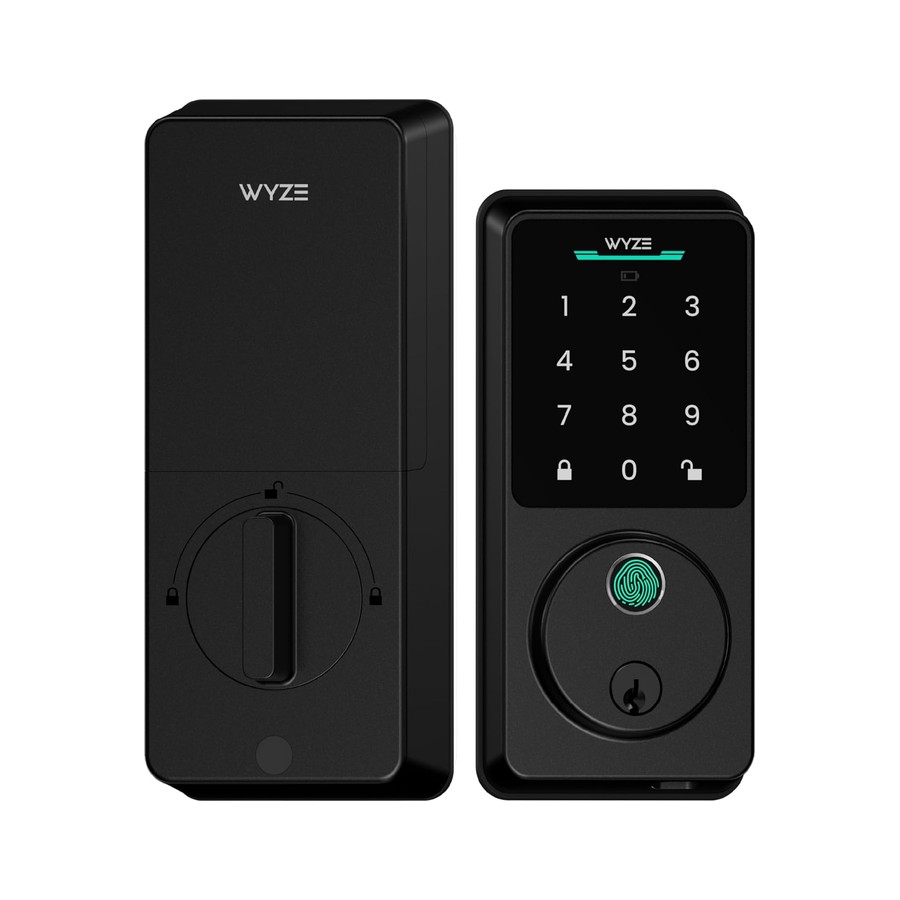
The fingerprint reader is the weak link, and it's a real one. Mounted vertically, it failed about as often as it worked for me, so you'll lean on the keypad more than you'd like. That aside, the E30 punches above $180. It's the rare budget lock with both built-in Wi-Fi and Matter support, it's genuinely handsome on the door where most cheap locks look like appliances, and it bundles every entry method with no subscription. Matter pairing can be temperamental depending on your hub. Buy it if you want Matter and good looks on a budget and can live with a so-so fingerprint sensor. If the reader is a dealbreaker, the Ultraloq U-Bolt Pro has a far better one.
3. SwitchBot Lock Pro — Best Budget Retrofit
SwitchBot Lock Pro
The cheapest way to keep your keys and go smart
- Our Rating: 4.0 / 5.0
- Price: $100 (lock only)
- Install: Retrofit (keeps your key)
- Connectivity: Bluetooth (Wi-Fi/Matter via hub)
- Apple Home Key: No
- Battery life: 6–9 months (4 AA)
- Entry methods: App, auto, keypad/fingerprint (add-on)
- Matter: Yes (via hub)
Pros
- $100 gets your existing deadbolt online with nothing to re-key
- Retrofit install leaves your keys and exterior untouched
- Quiet, strong motor once it's dialed in
Cons
- It looks brutalist, like a big black box on your interior door
- Matter, Wi-Fi and fingerprint all need extra SwitchBot hardware
- Install can be fiddly on off-brand deadbolts
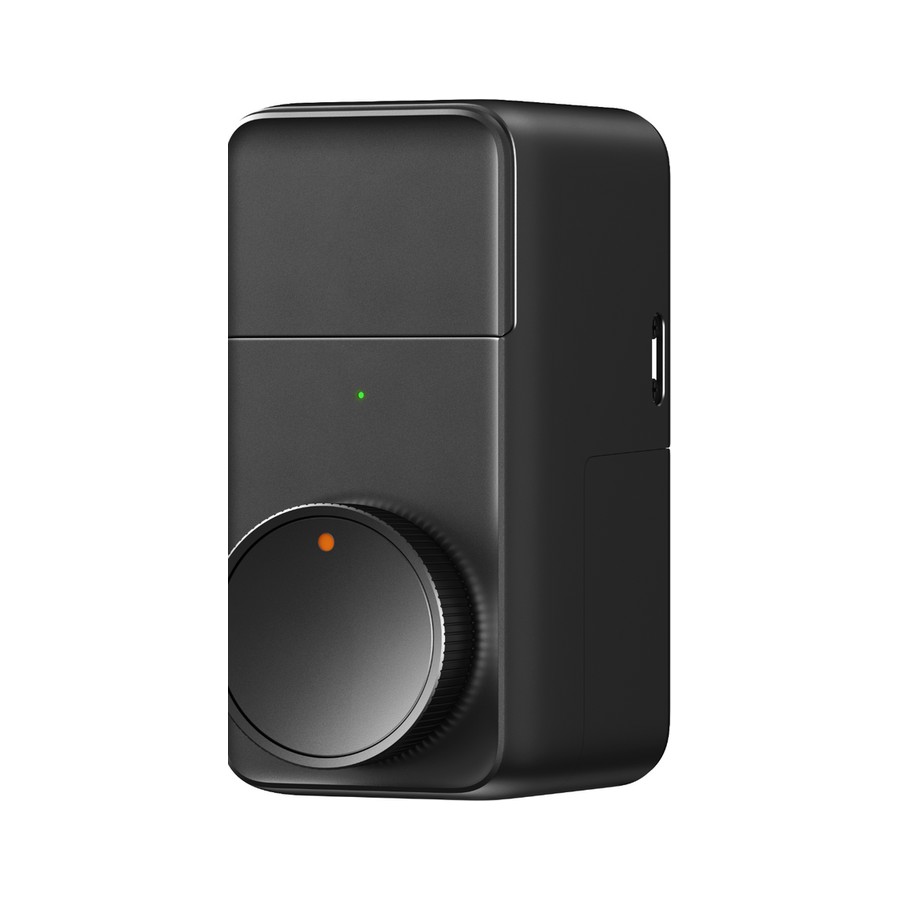
Two honest warnings first: it's ugly, a chunky black box on the inside of your door, and the $100 price is lock-only, so Matter, Wi-Fi, and fingerprint mean buying the hub and keypad on top. If you can look past the brutalist slab, it's the cheapest legitimate way to make a deadbolt smart without touching the outside of your door or re-keying anything. Once installed the motor is quiet and strong, and the app has more automation options than a lock this cheap has any right to. Buy it if you rent or love your current keys and want smarts on a budget. Want it to look good and read a fingerprint out of the box? Spend a little more on the eufy E30 or Ultraloq U-Bolt Pro.
4. Wyze Lock Bolt — Cheapest Fingerprint Lock
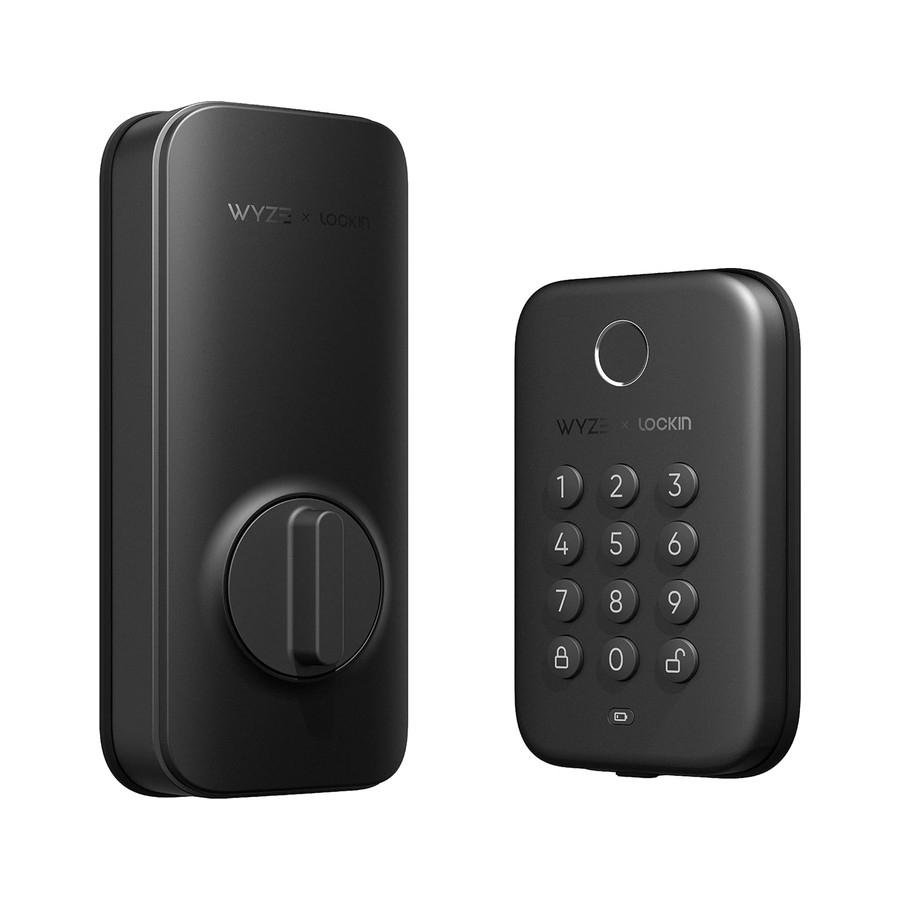
Wyze Lock Bolt
The $80 fingerprint lock that skips the Wi-Fi
- Our Rating: 3.8 / 5.0
- Price: $79.99
- Install: Deadbolt replacement
- Connectivity: Bluetooth only (no Wi-Fi)
- Apple Home Key: No
- Battery life: ~6 months (rechargeable)
- Entry methods: Fingerprint, keypad
- Matter: No
Pros
- Under $80 with a genuinely fast fingerprint reader
- Backlit keypad and auto-lock included
- Generates one-time backup codes with no internet at all
Cons
- No Wi-Fi, so you can't check or control it from away
- No smart-home integration, so it won't join Alexa or HomeKit
- Only stores 20 passcodes
- Bluetooth range is all you get for remote
Know exactly what you're giving up: there's no Wi-Fi, which means no remote access, no app-from-afar, and no smart-home integration at all. This lock ends at your front door. If that's fine with you, it's a phenomenal $80. The fingerprint reader is quick and worked about 95% of the time in testing, the backlit keypad is easy at night, and a clever offline system spits out one-time codes even with no internet. It's keyless entry, not a connected lock, and priced accordingly. Buy it if you just want to ditch your keys cheaply and don't care about remote control. The moment you want to unlock the door from work, step up to the Ultraloq U-Bolt Pro or SwitchBot Lock Pro.
Compared: The Best Budget Smart Locks
| Smart lock | Our Rating | Price | Install | Connectivity | Apple Home Key | Battery life |
|---|---|---|---|---|---|---|
| Ultraloq U-Bolt Pro | 4.2 / 5 | $159–$200 | Deadbolt replacement | Bluetooth (Wi-Fi via Bridge) | No | Up to 1 year (BT) |
| eufy Smart Lock E30 | 4.1 / 5 | $180 | Deadbolt replacement | Wi-Fi + Matter (via hub) | No | ~8 months (8 AA) |
| SwitchBot Lock Pro | 4.0 / 5 | $100 (lock only) | Retrofit (keeps your key) | Bluetooth (Wi-Fi/Matter via hub) | No | 6–9 months (4 AA) |
| Wyze Lock Bolt | 3.8 / 5 | $79.99 | Deadbolt replacement | Bluetooth only (no Wi-Fi) | No | ~6 months (rechargeable) |
How We Tested
Budget locks get the exact same treatment as the flagships: installed on a real door and lived with for at least two weeks. We don't grade cheap locks on a curve; a lock that fails to throw the bolt is a bad lock at any price.
We install each one to see how fiddly the budget engineering gets, then hammer every unlock method and count the failures. Fingerprint reliability matters most at this end of the market, so we log how often each reader actually reads. We check what the low price leaves out. Is Wi-Fi included or an add-on? Does Matter need a hub? How many codes does it store? We're blunt about which corners each lock cut to hit its number.
When to Spend More Than Budget
Budget locks are a real value, but a few needs push you up a tier.
A budget lock is right if you want keyless entry, guest codes, and maybe remote control, and you're happy to add a hub or bridge for the extras. For most doors, the Ultraloq U-Bolt Pro covers the essentials for well under half a flagship's price.
Spend more if you want Apple Home Key, the most reliable built-in Wi-Fi with no add-ons, or ANSI Grade 1 security hardware, all of which live in our best smart locks guide. And if you need remote access, skip the Wi-Fi-less Wyze no matter how tempting the price.
Smart Lock FAQ
What's the best cheap smart lock overall?
The Ultraloq U-Bolt Pro at around $160. It's a fingerprint deadbolt with six unlock methods and a reader that actually works. Add its Bridge for Wi-Fi and it does most of what a flagship does for far less.
What's the cheapest smart lock worth buying?
The $80 Wyze Lock Bolt. It's a fast fingerprint deadbolt with no Wi-Fi, so there's no remote control, but as pure keyless entry it's a phenomenal value.
Can I get a budget lock with Matter?
Yes. The eufy Smart Lock E30 has built-in Wi-Fi and Matter support (via a hub) for around $180, which is rare at this price. Just know its fingerprint reader is the weak spot.
Do budget smart locks work with Alexa and Google?
Most do, sometimes with a hub. The eufy E30 and SwitchBot Lock Pro reach Alexa and Google via Matter or their own hubs. The Wyze Lock Bolt is the exception, since no Wi-Fi means no smart-home integration at all.
Are cheap smart locks safe?
The ones here are, if you buy the deadbolt versions and use strong codes and auto-lock. The bigger risk with budget locks is reliability, not security, which is exactly why we test how often each fingerprint reader and motor actually work.