Best LED Strip Lights & Panels of 2026
Published: July 9, 2026
We independently test everything we recommend.
Buying through links on our site supports our work.
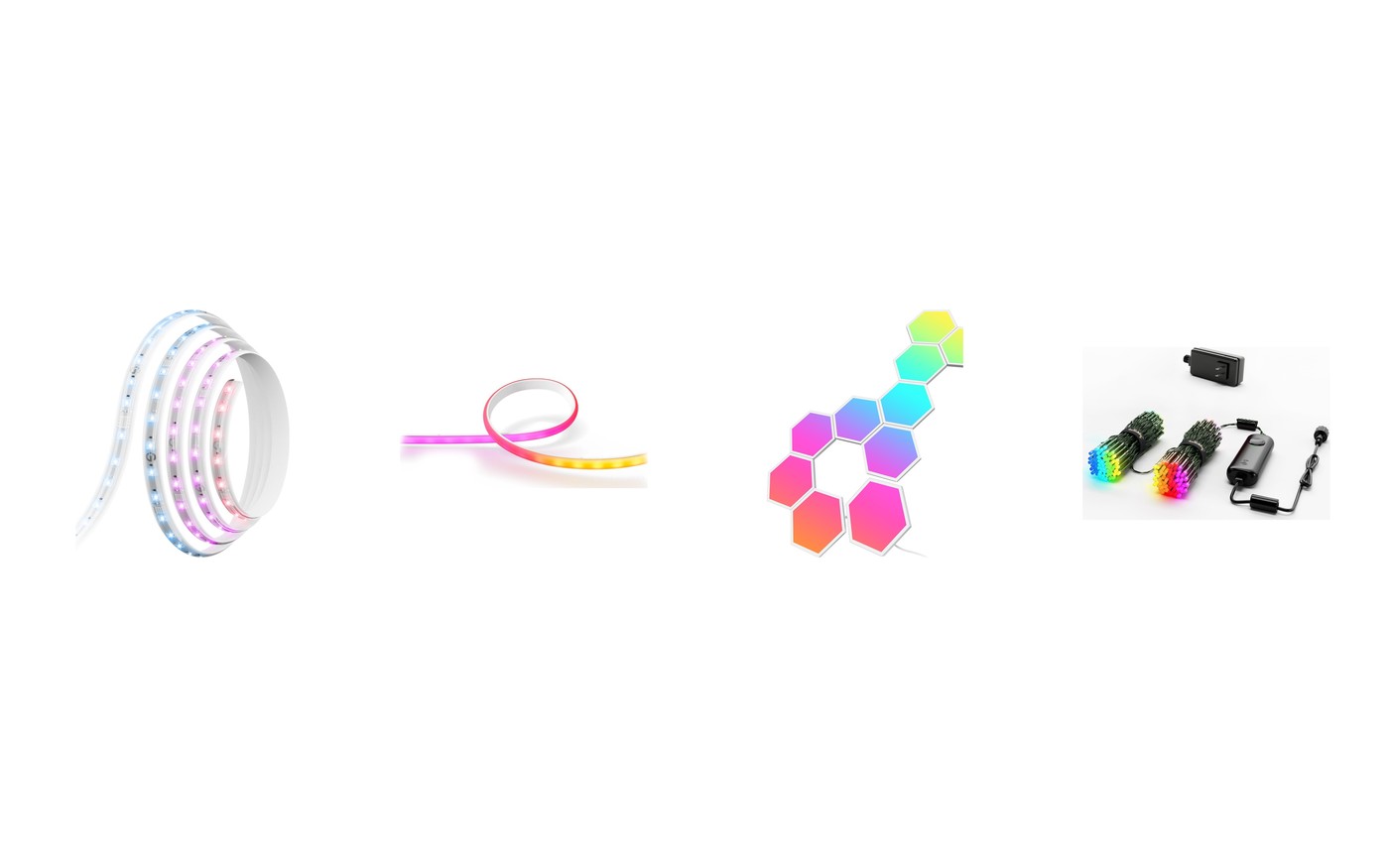
Ambient lighting is where smart lighting stops being useful and starts being fun, which is exactly when it's easiest to waste money. LED strip lights, wall panels, and addressable string lights all photograph brilliantly on product pages; some of them look like glowing circuit tape in your actual living room.
We spent six weeks with the four best ambient options we could find, mounted where you'd actually mount them: behind a 65-inch TV, over a desk, on a gaming wall, and around a Christmas tree that got remapped twice. Here's what held up, what peeled off, and where each dollar goes furthest.
Quick Picks
Four picks, four different walls.
- The strip light that made Hue's look lazy: Govee LED Strip Light M1 (from $50 (16.4 ft $80)) ↓ Jump to review
- For Hue households that want the strip done right: Philips Hue Ambiance Gradient Lightstrip ($180 (80 in)) ↓ Jump to review
- Nanoleaf's look without Nanoleaf's invoice: Govee Glide Hexa Light Panels ($170 (10 panels)) ↓ Jump to review
- Christmas lights with a graphics engine: Twinkly Strings (250 LED) ($120 (250 LEDs, 65.6 ft)) ↓ Jump to review
Our Top Pick
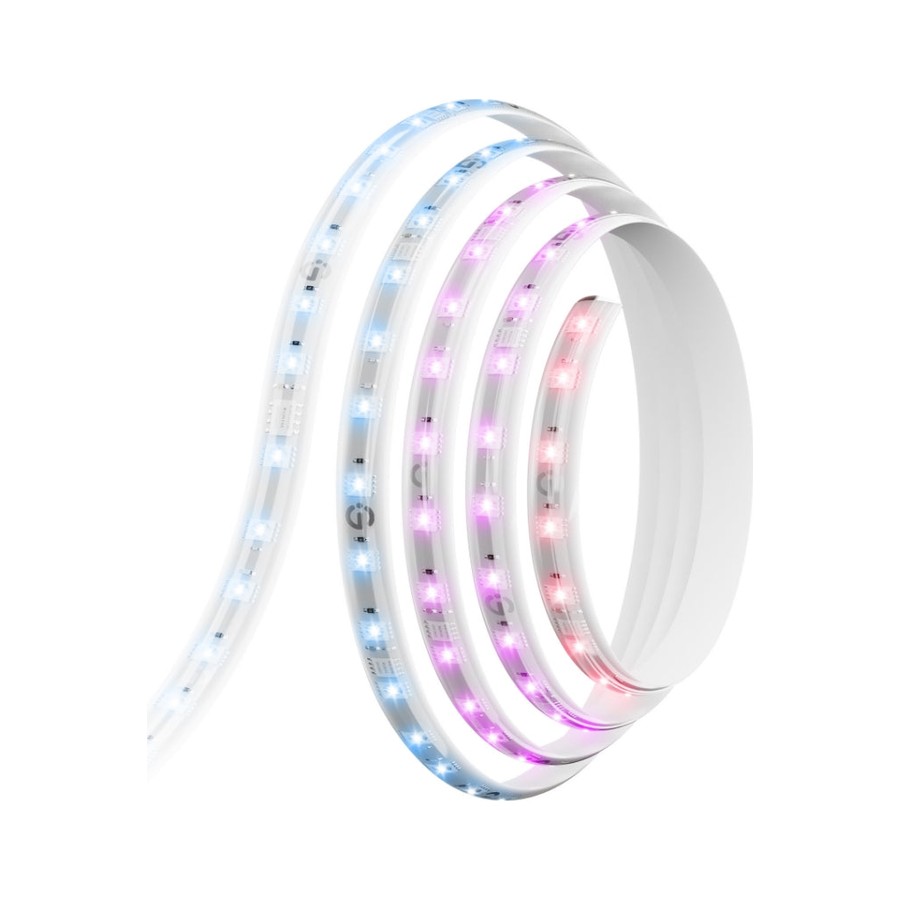
The Govee M1 is the rare budget product that outruns its premium rival on hardware: denser LEDs than Hue's strip, segment gradients Matter can't even describe yet, and lengths Hue doesn't sell, at half the price. The app is chaos. The light is superb. Take the deal.
Jump to review1. Govee LED Strip M1 — Best Strip for Most People
Govee LED Strip Light M1
The strip light that made Hue's look lazy
- Our Rating: 4.4 / 5.0
- Price: from $50 (16.4 ft $80)
- Type: LED light strip
- Hub needed: No
- Brightness: up to 750 lm/m
- Matter: Yes (built in)
- Ecosystems: Alexa, Google, Apple Home (via Matter)
- Length: 6.6 / 16.4 ft, ext. to 32.8 ft
Pros
- RGBIC segments show 15+ colors on one strip at once
- Matter support built in, no Govee hub required
- 60 LEDs per meter, so the light is a smooth bar instead of visible dots
- Cuttable and extendable up to 32.8 ft without losing addressing
- Half the price of Hue's gradient strip at every length
Cons
- The Govee app is a casino of features, popups, and upsells
- Matter control flattens it to one color; the fancy effects need Govee's app
- Adhesive is single-shot, so plan the run before you peel
The Matter support on the box deserves an asterisk: pair it with Apple Home or Google and it behaves like a plain one-color strip, because Matter still has no idea what a gradient is. Every rainbow effect lives in Govee's chaotic, ad-stuffed app. Live with that and the hardware itself is the best value in ambient lighting. Dense 60-LED-per-meter spacing that reads as a continuous glow, segment control that puts a sunset across one strip, and brightness that made our test shelf visible from the street. We ran it 6 weeks behind a desk and a TV with zero dropouts. Buy it for shelves, desks, and TV backs. If you're deep in Apple Home and want scenes that just work, pay double for the Hue Gradient Lightstrip.
2. Philips Hue Gradient Lightstrip — Best for Hue Homes
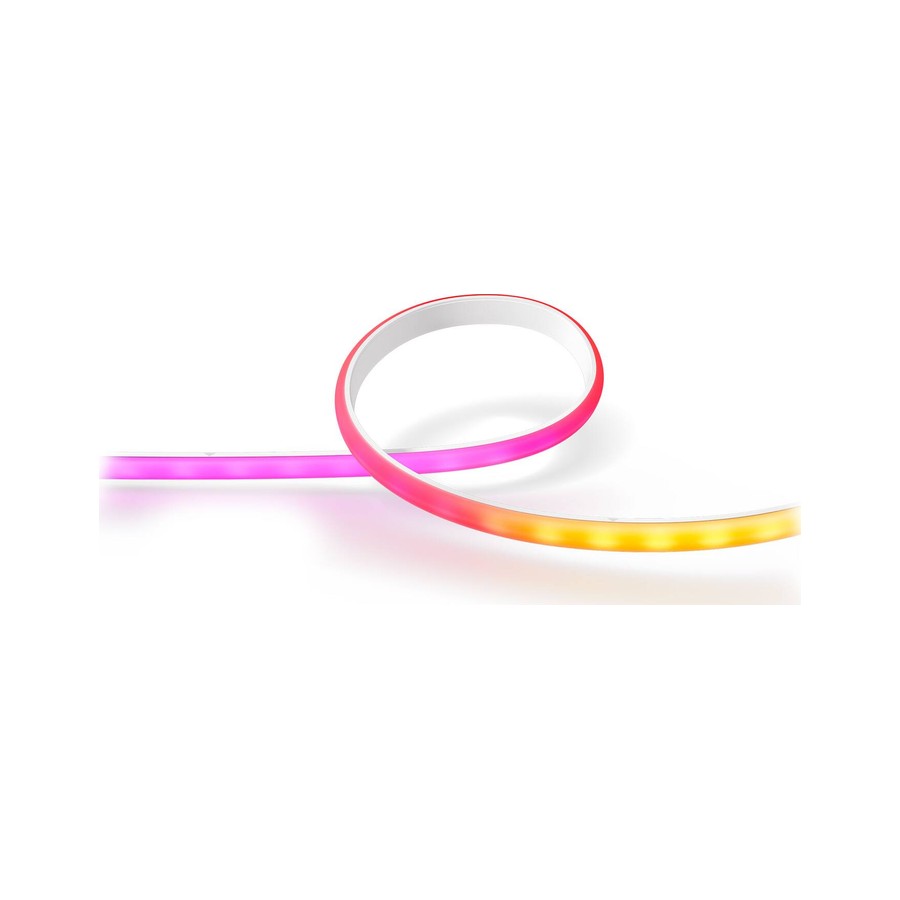
Philips Hue Ambiance Gradient Lightstrip
For Hue households that want the strip done right
- Our Rating: 4.1 / 5.0
- Price: $180 (80 in)
- Type: LED light strip
- Hub needed: Bridge required for full features
- Brightness: 1,800 lumens
- Matter: Yes (via Bridge)
- Ecosystems: Apple Home, Alexa, Google, SmartThings
- Length: 80 in (not cuttable)
Pros
- Gradient blending is visibly smoother than Govee's segment stepping
- Hue scenes treat it as one canvas with your other Hue lights
- Rock solid over Thread with a Bridge; six weeks, zero dropouts
Cons
- $180 buys 80 inches; the same money buys 65 feet of Govee M1
- Effectively Bridge-required, adding $60 if you're not already in
- Cutting it is not supported, which makes sizing unforgiving
Do the math before falling in love: per foot, this costs roughly eight times the Govee M1, it can't be cut to size, and without a Hue Bridge you're not getting the features that justify it. What the money buys is coherence. The gradient doesn't step between color zones, it pours. And inside a Hue home the strip stops being a separate gadget: one Bedtime scene fades the ceiling bulbs, the Signe lamp, and this strip as a single instrument. Six weeks over Thread, not one dropout. Buy it if you're already carrying the Bridge and want the TV wall to match the rest of the house. Buy Govee if you want maximum glow per dollar.
3. Govee Glide Hexa — Best Wall Panels for the Money
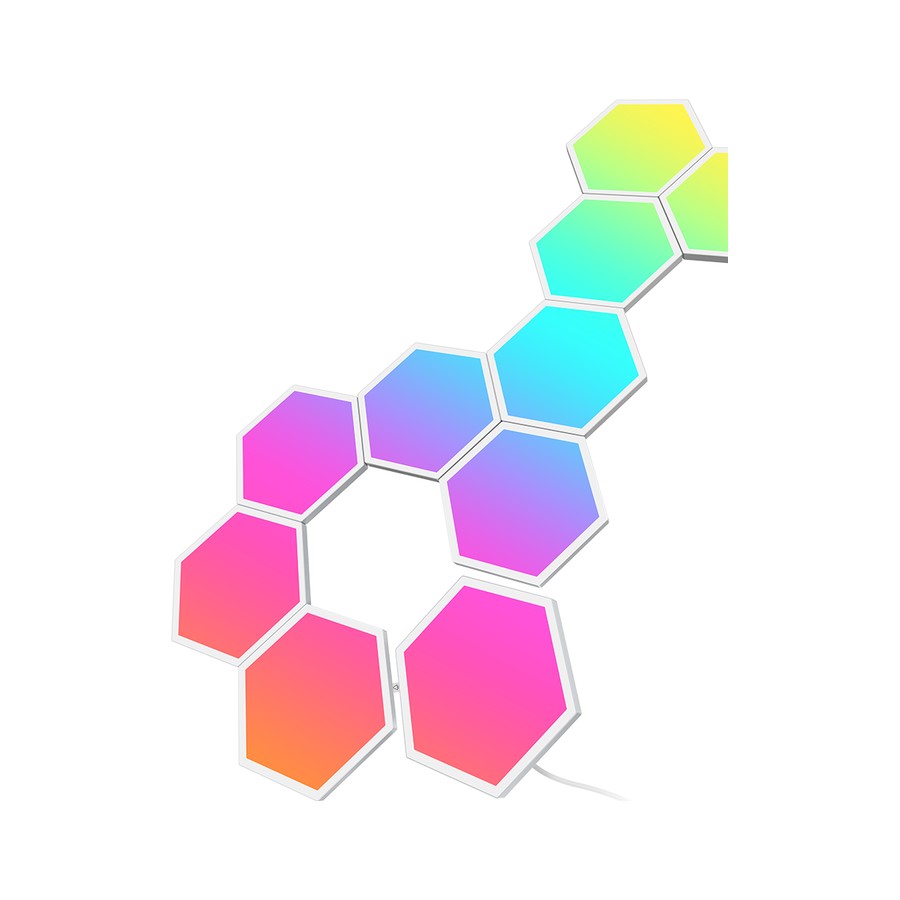
Govee Glide Hexa Light Panels
Nanoleaf's look without Nanoleaf's invoice
- Our Rating: 3.9 / 5.0
- Price: $170 (10 panels)
- Type: Modular wall panels
- Hub needed: No
- Brightness: washes a full wall
- Matter: No
- Ecosystems: Alexa, Google
- Panel zones: Multi-zone RGBIC per hexagon
Pros
- Ten panels for less than Nanoleaf charges for nine
- Each hexagon has multiple color zones, so one panel can show a gradient
- Bright enough to wash a gaming wall on its own
Cons
- No Thread and no touch reactivity, the two things Nanoleaf holds over it
- Visible seams and wiring channel look budget up close with lights off
- Govee app, again: powerful, exhausting
With the lights off, you can see where the $30 went missing: seams between panels are more visible than Nanoleaf's, the surface plastic is glossier and cheaper-looking, and there's no touch response for kids to play with. Power them on and the story flips. Multiple color zones per panel means ten hexagons render gradients that Nanoleaf needs software dithering to fake, and peak brightness washes a wall hard enough to double as bias lighting for a whole battlestation. For a gaming room where the panels live lit, this is the better buy at $170 for ten. For a living room where they're furniture half the day, or a Thread-based smart home, the Nanoleaf Hexagons justify the extra $30.
4. Twinkly Strings — Best Holiday Wildcard
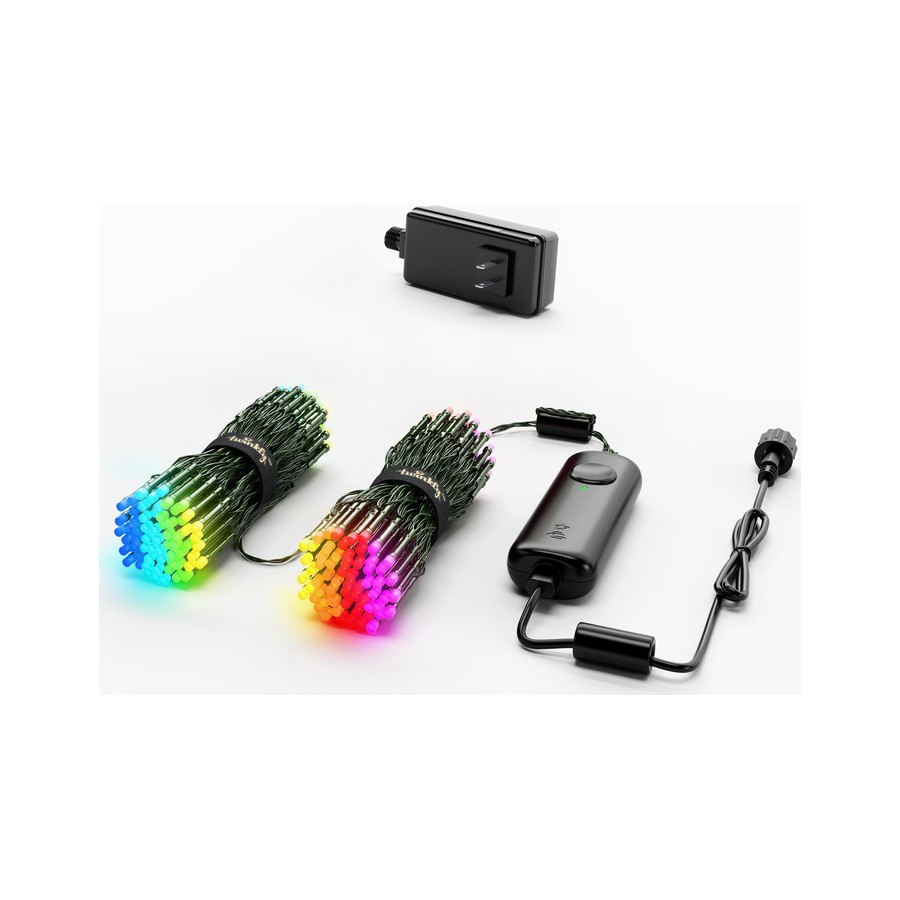
Twinkly Strings (250 LED)
Christmas lights with a graphics engine
- Our Rating: 3.8 / 5.0
- Price: $120 (250 LEDs, 65.6 ft)
- Type: Smart string lights
- Hub needed: No
- Brightness: decorative (250 addressable LEDs)
- Matter: No
- Ecosystems: Alexa, Google, Razer Chroma
- Weather rating: IP44 (outdoor OK)
Pros
- Camera mapping knows where every LED sits, so effects flow across the tree in 3D
- Effect library is closer to a screensaver engine than a light app
- IP44 rating handles outdoor trees and porch railings
- Each LED is individually addressable, all 250 of them
Cons
- At $120 they cost six boxes of normal string lights
- The mapping ritual must be redone every time you rehang them
- App demands an account and phones home more than lights should
These are seasonal lights at a permanent-fixture price, and the party trick has a chore attached: every time you restring them (so, every December), you re-run the camera mapping before the good effects work. That mapping is also the magic. The app photographs your tree, learns where all 250 LEDs physically hang, and then pours waterfalls and fireworks across them in coherent 3D space instead of random twinkling. Nothing else in holiday lighting does this. Our test tree stopped traffic on the sidewalk, no exaggeration. Buy them if holiday lighting is your love language and $120 per tree sounds like a hobby expense. If lights are a two-week obligation, normal LEDs and a $15 smart plug deliver 90% of the joy.
Compared: Strips, Panels & Strings
| Ambient light | Our Rating | Price | Type | Hub needed | Brightness | Matter |
|---|---|---|---|---|---|---|
| Govee LED Strip Light M1 | 4.4 / 5 | from $50 (16.4 ft $80) | LED light strip | No | up to 750 lm/m | Yes (built in) |
| Philips Hue Ambiance Gradient Lightstrip | 4.1 / 5 | $180 (80 in) | LED light strip | Bridge required for full features | 1,800 lumens | Yes (via Bridge) |
| Govee Glide Hexa Light Panels | 3.9 / 5 | $170 (10 panels) | Modular wall panels | No | washes a full wall | No |
| Twinkly Strings (250 LED) | 3.8 / 5 | $120 (250 LEDs, 65.6 ft) | Smart string lights | No | decorative (250 addressable LEDs) | No |
How We Tested
Each product spent four to six weeks in its natural habitat. Strips went behind the TV and along a desk, mounted with their own adhesive on both smooth and textured surfaces (the texture claimed casualties; see the Nanoleaf notes in our panels review). Panels lived on the office and gaming walls. The Twinkly strings did a full December on a 7-foot fir, then a wet January on the porch.
We tested every product both inside its own app and through Matter or its best available ecosystem hookup, because ambient lighting is where the gap between those two experiences is widest. Where a product's headline feature only works in its own app, we said so on the card.
Strips, Panels, or Strings?
Strips are the per-dollar champion and the right default: hidden behind a TV, under a shelf edge, or along a desk, they add depth to a room without announcing themselves. Start with a Govee M1 and you'll understand the whole category for $50.
Panels are for walls you want people to look at. They cost more per lumen and demand commitment (and decent drywall), but nothing else turns a gaming corner into a set piece the same way.
Smart strings are seasonal theater. The Twinkly effect is real and the neighbors will comment; just know you're buying a December hobby, not infrastructure.
Skip all three if what you actually want is a brighter, nicer-lit room. That's a job for proper bulbs, and our smart bulb guide covers it for less money.
Ambient Lighting FAQ
Why does everyone complain about the Govee app?
Because it's simultaneously the most capable and most cluttered app in lighting: ads for other Govee gear, seasonal popups, and superb effects buried three menus deep. Our workaround is standard practice now: build scenes once in Govee's app, then trigger them from Apple Home or Google via Matter and rarely reopen it.
Will strip adhesive damage my wall?
The adhesive usually outlives the paint bond, which is the actual risk: peel a strip off carelessly and it takes paint with it. Mount strips where they can stay, use extra 3M strips or channel on textured walls, and treat every placement as semi-permanent.
Can Matter run gradient effects on strips and panels?
Not yet, and this catches everyone. Matter currently treats a strip as one light with one color; every gradient, segment, and music effect requires the manufacturer's app. It's why 'Matter support' on the box means less in this category than anywhere else in the smart home.